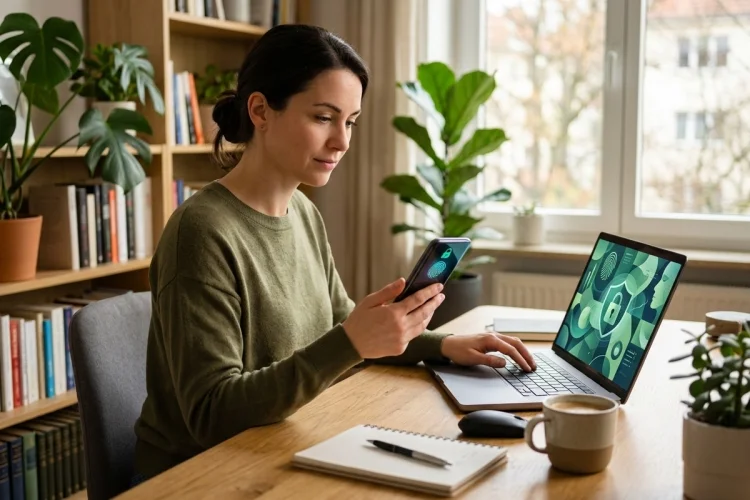
Think about how much personal information passes through your phone every day.
Emails, photos, banking details, location data, passwords, private messages, shopping history, and even health or work information may all be stored or accessed through a single device.
That convenience also creates risk. Criminals use phishing, stolen credentials, malicious software, impersonation, and other techniques to obtain information that can be used for fraud, account takeover, or identity theft.
The Federal Trade Commission warns that personal information has real value to hackers and scammers, which makes protecting both devices and online accounts important.
Learning how to protect personal information in digital spaces does not require becoming a cybersecurity expert. Most people can significantly improve their digital privacy by building a few consistent habits.
Strong authentication, careful sharing, software updates, phishing awareness, and regular privacy checks can make personal information much harder to steal or misuse.
1. Use a Unique Password for Every Important Account
Reusing passwords is convenient until one of them is stolen.
Imagine using the same password for your email, social media, and online shopping accounts. If attackers obtain that password from one compromised service, they may try the same credentials on your other accounts.
That is why CISA recommends using strong, unique passwords rather than recycling the same login information across multiple services.
A password manager can make this easier. Instead of memorising dozens of passwords, you can use a trusted password manager to create and store different credentials for each account.
Prioritise Length and Uniqueness
Modern password security is not simply about replacing an “a” with “@” or adding “123” to the end of a familiar word.
Current NIST Digital Identity Guidelines emphasise password strength and resistance to guessing while also recognising the importance of usable authentication systems. NIST’s current Revision 4 replaced the previous Revision 3 guidelines in August 2025.
Whatever system you use, avoid obvious personal information such as your birthday, pet’s name, or favourite football club if those details are publicly available.
2. Turn On Multi-Factor Authentication
A strong password is useful, but adding another layer is even better.
Multi-factor authentication, or MFA, requires another form of verification in addition to your password. Depending on the service, that might involve an authentication app, security key, device prompt, fingerprint, or another verification method.
CISA recommends MFA because it adds protection even when someone manages to obtain your password. It also recommends using stronger, phishing-resistant authentication methods where available.
Start with accounts that could cause the most damage if compromised.
Your primary email account should be near the top of the list because password-reset messages for many other services may arrive there. Banking, cloud storage, social media, and work accounts also deserve strong protection.
Think of MFA as a second locked door. A stolen key to the first door does not automatically provide access to everything behind it.
3. Learn to Recognise Phishing Before You Click
Not every cyberattack involves sophisticated hacking.
Sometimes attackers simply convince people to hand over information voluntarily.
Phishing messages may pretend to come from a bank, delivery company, workplace, government agency, social network, or even someone you know. They often attempt to create urgency so you click a malicious link, open an attachment, or provide login details.
CISA describes phishing as attempts to get users to open harmful links or attachments or reveal personal information.
A message saying, “Your account will be deleted in 30 minutes-verify immediately!” should make you cautious rather than hurried.
Instead of clicking the link, open the official app or type the organisation’s known website into your browser independently. If someone asks for sensitive information unexpectedly, verify the request through another trusted channel.
Digital safety often begins with slowing down.
4. Share Less Personal Information Online
Social media can reveal far more than people realise.
A birthday post reveals your date of birth. A photo of a new house may reveal where you live. A holiday update tells strangers that you may be away from home.
School uniforms, workplace badges, boarding passes, vehicle plates, and documents in the background of photos may expose additional details.
Managing your digital footprint means being intentional about what you make public.
The National Cybersecurity Alliance recommends reviewing your digital footprint, removing unnecessary accounts, and thinking carefully about why information needs to be shared before posting it.
Privacy settings help, but they should not create a false sense of security.
A private post can still be screenshotted, forwarded, or shown to someone outside your intended audience.
Before posting, ask a simple question: Would I be comfortable if this information became public?
If not, keeping it offline may be the safer option.
5. Review App Permissions and Privacy Settings
Many apps request access to information such as your location, contacts, camera, microphone, photos, or files.
Sometimes that access is necessary. A navigation app obviously needs location information to provide directions.
But not every app needs every permission it requests.
Regularly review the privacy settings on your phone and online accounts. Remove access that no longer makes sense, particularly for apps you rarely use.
Privacy controls can also determine whether strangers can find your profile, view posts, tag you, track activity, or see your location.
The FTC provides dedicated resources for protecting online privacy and managing security risks associated with apps and connected devices.
Consider doing a short privacy audit every few months.
Delete apps you no longer use, close abandoned accounts, check permissions, and review which services still have access to your information.
Digital clutter can become a security problem.
6. Keep Phones, Computers, and Apps Updated
Those update notifications can be annoying, but ignoring them indefinitely is risky.
Software contains vulnerabilities, and updates often include security fixes designed to close weaknesses attackers could exploit. CISA explains that software patches and operating-system updates can address security vulnerabilities.
Whenever practical, enable automatic updates for your operating system, browser, applications, and security software.
CISA specifically recommends turning on automatic updates so security improvements can be installed without depending entirely on users remembering to do it manually.
Do not forget devices such as tablets, smart televisions, routers, and other internet-connected products.
Your smartphone may receive most of your attention, but any connected device can potentially become part of your digital security environment.
7. Protect Your Phone Like a Wallet
For many people, losing a phone today can be more serious than losing a physical wallet.
Your device may provide access to emails, saved passwords, payment systems, photos, authentication codes, cloud storage, and personal conversations.
Always use a screen lock.
The FTC recommends automatically locking your phone when it is not being used and protecting access with a secure PIN or passcode.
Also enable device-tracking and remote-management features when they are available. These tools may help you locate, lock, or erase a lost device.
Be careful with shared computers too.
Avoid saving passwords or payment information on public machines, and always log out when finished. Guidance from the National Cybersecurity Alliance similarly recommends avoiding saved credentials on shared devices and closing sessions after use.
Treat access to your device as access to your digital identity.
8. Have a Plan for When Something Goes Wrong
Even careful people can experience a compromised account or data breach.
The important thing is recognising the problem quickly and responding.
Unexpected password-reset emails, unfamiliar login notifications, strange messages sent from your account, or transactions you do not recognise can all deserve investigation.
If you believe an account has been compromised, change its password from a trusted device, remove unfamiliar sessions, enable or reset MFA, and review account recovery information.
You should also consider whether reused credentials put other accounts at risk.
The FTC maintains identity-theft and online-security guidance that explains how consumers can respond when personal information is stolen or misused.
Backups matter too. Keeping important files backed up gives you another layer of resilience if a device fails, is stolen, or becomes inaccessible.
Cybersecurity is not about guaranteeing that nothing bad will ever happen.
It is about making attacks harder and recovery easier.
Learning how to protect personal information in digital spaces mostly comes down to everyday habits.
Use unique passwords, enable MFA, recognise phishing attempts, keep software updated, review privacy settings, and think carefully before sharing personal details online.
Protect your devices as carefully as you protect your physical possessions. Your phone or laptop may contain access to your identity, finances, communications, and private records all in one place.
You do not need to change everything today. Start with your most important account-usually your email. Give it a unique password, enable strong multi-factor authentication, and review its recovery settings. Then work through your other accounts one by one.
A few minutes of prevention today can save a much bigger problem later.